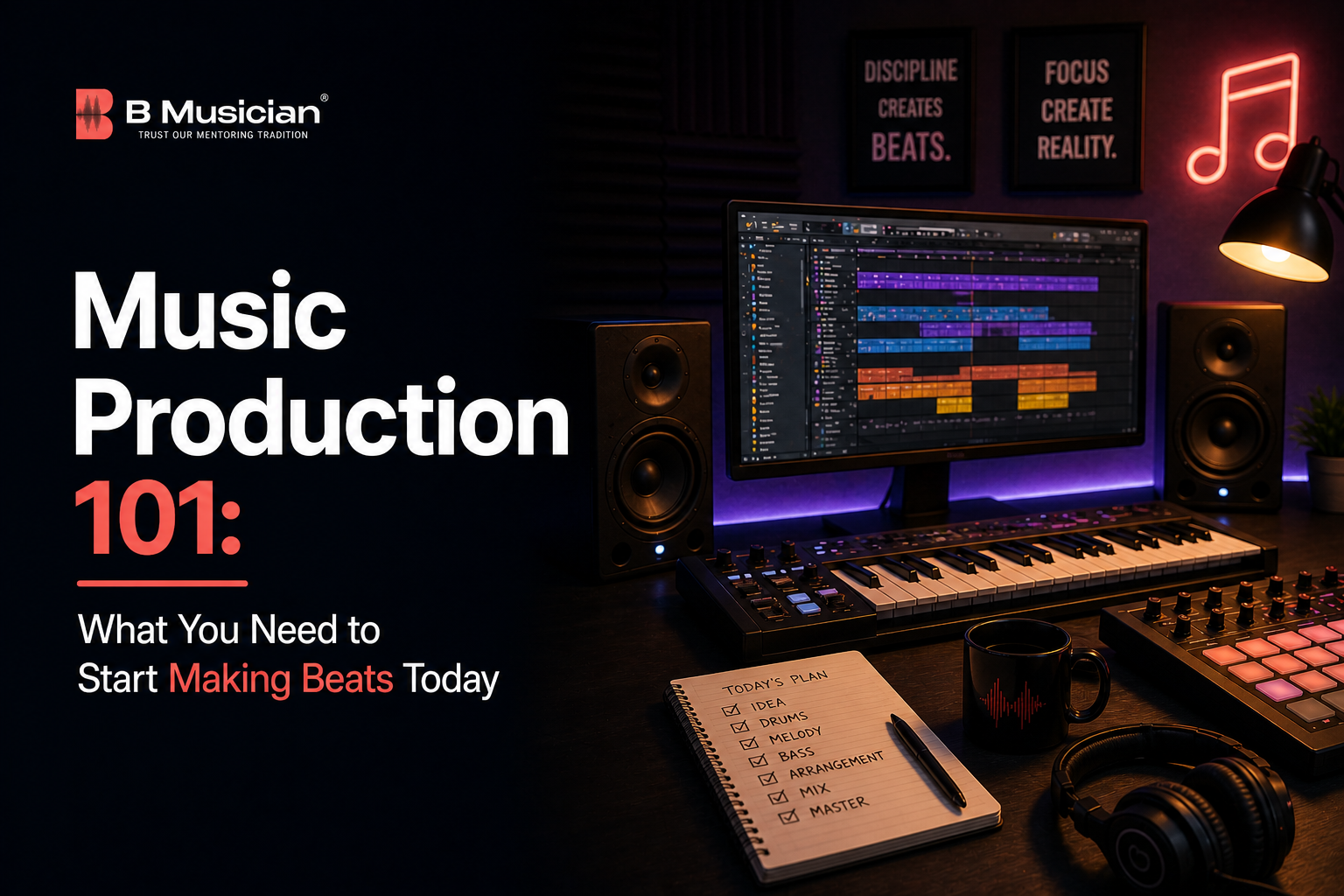
There’s never been a better time to get into music production. A laptop, the right software, and a decent pair of headphones are genuinely enough to start building tracks that sound professional. The barrier between an idea in your head and a finished beat has never been lower. Producers like Finneas, who made Billie Eilish’s debut album in his bedroom, proved that world-class music production doesn’t require a studio deal, a giant mixing desk, or an enormous budget.
But cheap entry doesn’t mean easy mastery. Music production combines technical knowledge, musical understanding, and creative decision-making in ways that take real time to develop. Knowing what tools you need is the easy part. Knowing how to use them musically — how to build a groove that locks, how to layer sounds with intention, how to make a mix feel spacious and clear — that’s what separates producers who make noise from producers who make music.
This guide covers exactly what a beginner needs to start: what music production actually involves, the essential gear and software to get started, the key skills to develop early, how instrument and music theory training feeds directly into better production, and where music production classes and courses fit into a serious learning plan. Whether you’re starting from scratch or looking to sharpen what you already know, this is where it begins.
What Is Music Production?
Music production is the process of creating, arranging, recording, and shaping a piece of music from concept to finished track. It covers everything between the spark of an idea and the final export. A producer’s job is to make creative and technical decisions at every stage choosing sounds, building rhythms, arranging sections, balancing levels, and shaping the overall sonic identity of a track.
In the modern era, a single producer often handles tasks that would once have been split across a composer, arranger, recording engineer, and mixing engineer. That’s both the opportunity and the challenge of contemporary music production. The tools do a lot. But the musical judgement that drives those tools still comes entirely from you.
Music production today is built around a DAW a Digital Audio Workstation. Think of it as your recording studio, mixing desk, instrument rack, and arrangement board all in one piece of software. Everything you create, record, sequence, and mix lives inside it. Choosing the right DAW and learning it thoroughly is the single most important early decision a new producer makes.
The Essential Setup: What You Actually Need to Start
You don’t need a lot to get started. But you do need the right things. Here’s what a beginner music production setup actually requires, broken down honestly.
A Computer With Enough Headroom
Your computer is the foundation of your entire setup. Music production software is resource-intensive, particularly as your projects grow with more tracks, plugins, and samples. For most DAWs, you’ll want at least 8GB of RAM, though 16GB makes a real difference as you push into more complex sessions. A modern processor, at least a quad-core running at 2.5GHz or faster, keeps things running smoothly. Storage matters too. A solid-state drive (SSD) loads samples and projects significantly faster than a traditional hard drive.
Mac or Windows both work well. Most professional DAWs run on either platform. The debate between them is largely personal preference. Whatever you’re already comfortable with is probably the right starting point.
A DAW (Digital Audio Workstation)
Your DAW is where everything happens. Several strong options are available, and most offer free trials or free entry-level versions so you can try before committing.
- GarageBand (Mac, free): The best starting point for Mac users. It’s genuinely capable, well-designed, and costs nothing. Many producers use it for years before moving to a paid DAW.
- FL Studio: Enormously popular for beat-making, particularly in hip-hop and electronic music. Its pattern-based workflow suits loop and groove construction well. One-time purchase with lifetime free updates.
- Ableton Live: The industry standard for electronic music, live performance, and loop-based production. Its session view is unlike any other DAW and encourages a highly intuitive, exploratory approach to arrangement.
- Logic Pro (Mac): Apple’s professional DAW. Deep, capable, and well-priced at a one-time cost. Comes with an exceptional library of built-in instruments and samples. A serious long-term option for Mac users.
- Pro Tools: The industry standard in professional recording studios. More complex to learn and more expensive, but worth understanding if you intend to work in commercial studio environments.
Pick one and stick with it. Switching between DAWs constantly is one of the most common reasons beginners don’t progress. The DAW itself matters less than your depth of knowledge inside it.
Studio Monitors or Quality Headphones
You need to hear what you’re making accurately. Consumer headphones and laptop speakers colour the sound in ways that make mixing decisions unreliable. What sounds good on those speakers often sounds muddy, thin, or unbalanced on a proper system.
Studio monitors (speakers designed for flat, accurate frequency reproduction) are ideal for mixing. Entry-level options from brands like Yamaha (HS5), KRK, and Adam Audio are well-regarded and genuinely useful. For bedroom producers or anyone working in a shared space, a good pair of studio headphones works well. The Sony MDR-7506 and Audio-Technica ATH-M50x are two of the most widely used and consistently recommended options at the beginner-to-intermediate level.
Audio Interface
If you plan to record anything live into your DAW (vocals, guitar, piano, any acoustic instrument), you need an audio interface. This is the hardware that converts the analogue signal from a microphone or instrument into digital audio your computer can process. It also significantly improves overall audio quality compared to your computer’s built-in sound card. The Focusrite Scarlett 2i2 is the most widely recommended entry-level option and handles most beginner recording needs comfortably.
MIDI Controller (Optional but Useful)
A MIDI keyboard or pad controller lets you play and program notes, melodies, chords, and drum patterns using physical keys or pads rather than clicking with a mouse. It’s not essential to start, but it dramatically speeds up the process of building melodic ideas and makes the whole experience feel more musical. Even a small 25-key MIDI keyboard under $100 makes a noticeable difference to how naturally ideas flow in a session.
The Core Skills Every Beginner Producer Needs to Develop
Having the gear is only part of it. The producers who progress quickly are the ones who invest seriously in developing the underlying musical and technical skills that drive good production decisions. Here’s where to focus first.
Music Theory Basics
This is the skill most beginner producers underestimate. You don’t need to be an expert. But understanding scales, keys, chord construction, and how notes relate to each other will transform the quality of your melodic and harmonic ideas. It’s the difference between guessing which notes sound good together and knowing why they work.
Producers who can’t read music or understand basic theory often hit a creative wall around the six to twelve-month mark. They can make beats that sound decent rhythmically but struggle to build melodies, chord progressions, or bass lines that feel genuinely musical. Learning even the fundamentals of music theory through structured music classes removes that ceiling entirely.
Rhythm and Groove
Before melody, before harmony, before sound design there’s rhythm. Great beats start with a groove that locks, that has forward momentum, that makes you want to move. Learning to programme drums and percussion with real rhythmic feel (rather than simply clicking notes onto a grid) requires developing an internal sense of timing. Using a metronome, studying drummers and percussionists, and practising with live rhythm instruments all build this sense far faster than staring at a screen.
Sound Selection and Synthesis Basics
Every DAW comes with built-in instruments and sample libraries. Learning to choose sounds intentionally, rather than defaulting to the first preset you find, is an important early skill. Understanding the basics of synthesis (how oscillators, filters, envelopes, and modulation shape a sound) gives you genuine control over the tonal palette of your tracks. You don’t need to become a synthesis expert. But knowing how to shape a sound rather than just use it as-is opens up a significant range of creative possibilities.
Arrangement
A great eight-bar loop isn’t a song. Arrangement is the skill of taking your best musical ideas and shaping them into a track that develops, breathes, builds tension, and resolves. Most beginner producers find arrangement genuinely hard — it requires both musical judgement and an understanding of structure. Studying the arrangements of tracks you love in your DAW is one of the most practical ways to develop this skill. Pull apart songs you respect and look at how they’re built.
Basic Mixing
Mixing is the process of balancing and shaping all the elements in your track so they sit together clearly and coherently. Volume levels, panning (placing sounds in the stereo field), EQ (shaping the frequency content of each sound), and compression (controlling dynamic range) are the fundamental tools. You don’t need to master mixing before you start making tracks. But developing a basic working understanding of each tool early means your productions will sound noticeably cleaner and more professional than those of producers who ignore it.
Why Instrument and Theory Training Makes You a Better Producer
One thing many beginner producers don’t expect is how much learning a real instrument improves their production. It’s one of the most consistent patterns among producers who develop quickly. Instrument training and music production courses address genuinely different skills, but they feed each other directly.
Playing an instrument develops your ear. You start to hear pitch, rhythm, and harmony in ways that pure software learning doesn’t easily teach. A producer who can sit at a keyboard and play a chord progression doesn’t have to guess whether it sounds right. They feel it. A producer who’s studied percussion doesn’t have to look up drum programming tutorials to understand why a groove does or doesn’t lock. They already know what it should feel like.
Keyboard and piano training is particularly valuable for producers across every genre. Understanding chord voicings, inversions, bass movement, and melodic phrasing from a keyboard perspective transfers directly and immediately into better harmonic decisions in the DAW. online keyboard and piano courses offer structured, live instruction from experienced teachers, building exactly the kind of musical understanding that makes production decisions intuitive rather than guesswork.
Similarly, studying drums or percussion builds the rhythmic intelligence that separates good beats from great ones. Online drum lessons develop the timing, groove feel, and rhythmic vocabulary that translate directly into more musical, more human-feeling beat programming. And vocal training, interestingly, develops pitch accuracy and musical phrasing awareness that help producers make better decisions about melody and lead sounds. online singing lessons are available across Carnatic, Hindustani, film, and pop vocal styles.
How Music Production Classes and Courses Fit Into Your Learning
Self-teaching gets you surprisingly far in music production. YouTube tutorials, online communities, and just spending hours inside your DAW all contribute meaningfully to your development. But there’s a point where structured learning accelerates things that self-teaching handles slowly or not at all.
Dedicated music production classes address the technical curriculum systematically: DAW workflow, mixing principles, sound design, arrangement, music theory applied to production, and genre-specific techniques. They give you feedback on your actual work rather than just general instruction. And they connect you with a community of other producers at similar stages, which matters more than most beginners expect.
For producers who recognise that their musical foundation needs strengthening alongside their production skills, music production courses and live instrument lessons work together naturally. Building real keyboard skills through structured lessons while simultaneously developing your DAW workflow gives you both the technical tools and the musical intelligence to use them well. The combination produces significantly stronger results than either path alone.
BMusician’s live, one-to-one online lessons across keyboard, piano, drums, guitar, and vocals provide exactly this kind of musical foundation. Whether you’re learning to play chords that you want to sample into your productions, building your rhythmic understanding through percussion, or developing pitch awareness through vocal training, every skill you build as a musician makes you stronger as a producer. Explore the full range of online music courses at BMusician and find the instrument or discipline that best supports where you want to take your music.
Start Simple, Stay Consistent, and Trust the Process
Getting into music production doesn’t require an expensive studio or years of preparation. A solid laptop, a good DAW, decent headphones, and a genuine commitment to learning the craft are enough to start making real music today. The ceiling on what’s achievable from a bedroom setup has essentially disappeared.
What separates producers who grow from those who plateau isn’t the gear. It’s the willingness to develop real musical skills alongside technical ones. Theory, rhythm, ear training, instrument knowledge these aren’t optional extras for serious producers. They’re what makes the difference between tracks that sound assembled and tracks that feel alive.
Start with one DAW and learn it deeply. Build your music theory fundamentals. Study the arrangements and production techniques of tracks you admire. And if you want to accelerate your musical development through structured, expert-guided instrument training, online music lessons are available for all levels, all ages, and a wide range of instruments and genres. The tools are ready. The question is how seriously you want to develop the skills to use them.
Frequently Asked Questions
Q1. What do I need to start music production as a complete beginner?
At minimum, you need a computer with sufficient processing power and RAM (16GB recommended), a DAW, and a reliable pair of headphones or studio monitors. GarageBand is free for Mac users and a genuinely solid starting point. FL Studio and Ableton Live are both widely used and available as free trials. An audio interface becomes important once you start recording live instruments or vocals, and a basic MIDI keyboard, while not essential, makes the whole process feel significantly more musical. Beyond hardware and software, the most important thing you need is time. Music production skills develop through consistent, repeated practice inside your DAW, not from reading about it.
Q2. What are the best music production classes and courses for beginners?
The best music production classes combine structured technical instruction with genuine musical development. Look for courses that cover your specific DAW in depth, address music theory applied to production contexts, include feedback on your actual work rather than just pre-recorded content, and develop arrangement and mixing skills progressively rather than throwing everything at you at once. Alongside dedicated production courses, instrument training through live music classes builds the musical foundation that accelerates everything else. Keyboard lessons develop your harmonic and melodic understanding, drum lessons develop your rhythmic intelligence, and vocal training sharpens your ear. All of these feed directly into stronger, more musical production decisions.
Q3. How long does it take to learn music production?
You can make tracks that sound reasonably complete within weeks of starting. Getting genuinely good at music production takes considerably longer. Most producers reach a stage where their work sounds consistently professional and intentional after two to four years of serious, focused practice. The timeline varies enormously depending on how much time you invest, whether you have a musical background already, the quality of instruction you receive, and how actively you seek feedback on your work. Producers who combine DAW skill development with real instrument training and music theory study tend to progress faster than those focusing on production software alone.
Q4. Do I need to know how to play an instrument to produce music?
You don’t need instrument skills to start making beats. Many successful producers are largely self-taught in a DAW without formal instrument training. But instrument knowledge makes a real difference to the depth and quality of your production over time. Keyboard skills improve your harmonic and melodic decisions. Percussion training sharpens your rhythmic sense and groove feel. Ear training from vocal or instrumental study makes you more precise in your sound selection and mixing decisions. You can go a long way in production without instrument training. You’ll generally go further with it.
Q5. What is the best DAW for beginners?
For Mac users, GarageBand is the best free starting point. It’s well designed, genuinely capable, and has no cost barrier whatsoever. FL Studio is consistently recommended for beginners interested in hip-hop and electronic beat-making. Its pattern-based workflow suits groove construction intuitively, and a one-time purchase gives you lifetime updates. Ableton Live is slightly harder to learn initially but is one of the most creatively powerful and widely used DAWs in the industry. Logic Pro is an excellent long-term choice for Mac users willing to invest in a one-time purchase. The most important thing is choosing one DAW and spending real time learning it deeply rather than switching between platforms looking for the perfect tool.